
Basic Bookkeeping Guide for Small Businesses
Everything you need to know to keep your business finances organised, compliant, and ready for growth
Table of Contents
- What Is Bookkeeping?
- Why Bookkeeping Matters for Your Business
- Key Bookkeeping Concepts Every Business Owner Should Know
- Getting Started: Setting Up Your Books
- Tracking Income the Right Way
- Managing and Categorising Expenses
- Understanding Basic Financial Statements
- Common Bookkeeping Mistakes to Avoid
- Tools and Tips to Make Bookkeeping Easier
- How Nexa Simplifies Bookkeeping for SMEs
What Is Bookkeeping?
Bookkeeping is the process of recording every financial transaction your business makes. Every sale, every purchase, every payment, it all gets documented in an organised way so you always know where your money is coming from and where it's going.
Think of it as keeping a detailed diary for your business's money. Without it, you're essentially running your business blindfolded; you might feel like things are going well, but you have no way to know for sure.
Bookkeeping is not the same as accounting. Bookkeeping is about recording transactions. Accounting is about interpreting, classifying, and reporting on those records. You need good bookkeeping before you can do good accounting.
Why Bookkeeping Matters for Your Business
Many small business owners skip bookkeeping because it feels tedious. But poor bookkeeping is one of the top reasons small businesses fail. Here's why it matters:
You Know Your True Profit
Revenue is not profit. Just because $5,000 or ₦500,000 came into your account doesn't mean you made that much. Bookkeeping helps you see the real picture after expenses.
You Make Better Decisions
Should you hire another staff member? Can you afford new equipment? Good records give you the data to answer these questions confidently.
You Stay Tax Compliant
Tax authorities everywhere, from the IRS to FIRS, require records of your income and expenses. Without proper bookkeeping, you risk penalties, overpaying taxes, or missing deductions you're entitled to.
You Can Access Funding
Banks and investors want to see financial records before lending money. Clean books make you fundable.
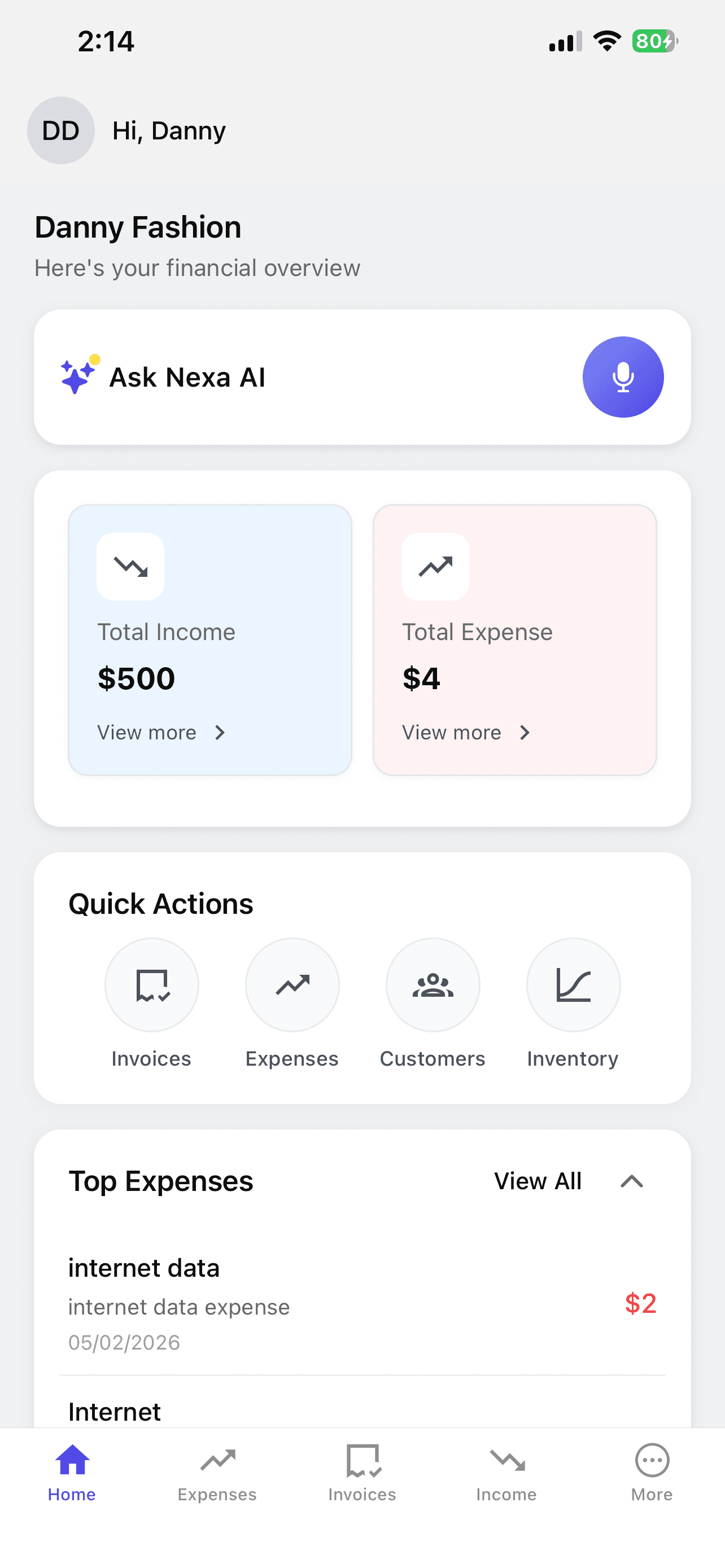
Nexa gives you a clear financial overview at a glance
Key Bookkeeping Concepts Every Business Owner Should Know
1. Revenue (Income)
All the money your business earns from selling goods or services. This includes cash sales, bank transfers, card payments, and online transactions.
2. Expenses
All the money your business spends to operate. Rent, salaries, inventory purchases, transportation, subscriptions, anything that costs your business money.
3. Profit and Loss
Gross Profit = Revenue - Cost of Goods Sold (direct costs like materials or inventory)
Net Profit = Gross Profit - Operating Expenses (rent, salaries, utilities, etc.)
4. Cash Flow
The movement of money in and out of your business. You can be profitable on paper but still run out of cash if customers pay late or you overstock inventory.
5. Accounts Receivable vs Accounts Payable
Accounts Receivable: Money customers owe you (e.g., you delivered goods but haven't been paid yet)
Accounts Payable: Money you owe suppliers (e.g., you received materials but haven't paid yet)
Getting Started: Setting Up Your Books
Step 1: Open a Separate Business Bank Account
This is the single most important step. Mixing personal and business money makes bookkeeping nearly impossible. Open a dedicated business account and run all business transactions through it.
Step 2: Choose Your Bookkeeping Method
Cash Basis
Record transactions when money actually changes hands. You sold goods on credit? You don't record the sale until the customer pays.
Best for: Small businesses, sole proprietors, and businesses that deal mostly in cash
Accrual Basis
Record transactions when they happen, regardless of when payment is received. You sold goods on credit? Record the sale immediately.
Best for: Growing businesses, companies with lots of credit transactions, or those required by law
Step 3: Set Up Your Chart of Accounts
A chart of accounts is a list of all the categories you use to classify transactions. Here's a simple starting point for most SMEs:
Income Categories
- • Product Sales
- • Service Income
- • Other Income
Expense Categories
- • Cost of Goods / Materials
- • Rent
- • Salaries & Wages
- • Utilities (Power, Water)
- • Transportation & Delivery
- • Marketing & Advertising
- • Internet & Communication
- • Office Supplies
- • Bank Charges
- • Professional Fees
Step 4: Pick a Recording System
You have options ranging from a simple notebook to spreadsheets to dedicated software. The best system is the one you'll actually use consistently. For most businesses today, a tool like Nexa eliminates the manual work entirely; you just tell it about your transactions through chat and it organises everything for you.
Tracking Income the Right Way
Every dollar, naira, or pound that comes into your business should be recorded. Here's what to capture for each income transaction:
For Every Sale or Payment Received, Record:
- Date — When the transaction happened
- Amount — How much was received
- Source — Who paid (customer name)
- Category — Product sale, service fee, etc.
- Payment Method — Cash, bank transfer, card, online payment
- Invoice Number — If an invoice was issued
Example: A Catering Business
| Date | Customer | Description | Amount | Method |
|---|---|---|---|---|
| Mar 1 | Corp. Client | Office lunch (50 plates) | $250 | Transfer |
| Mar 3 | Mrs. Johnson | Birthday party catering | $560 | Transfer |
| Mar 5 | Walk-in | Pastries (20 packs) | $80 | Cash |
| Mar 7 | TechHub Co. | Weekly lunch delivery | $190 | Transfer |
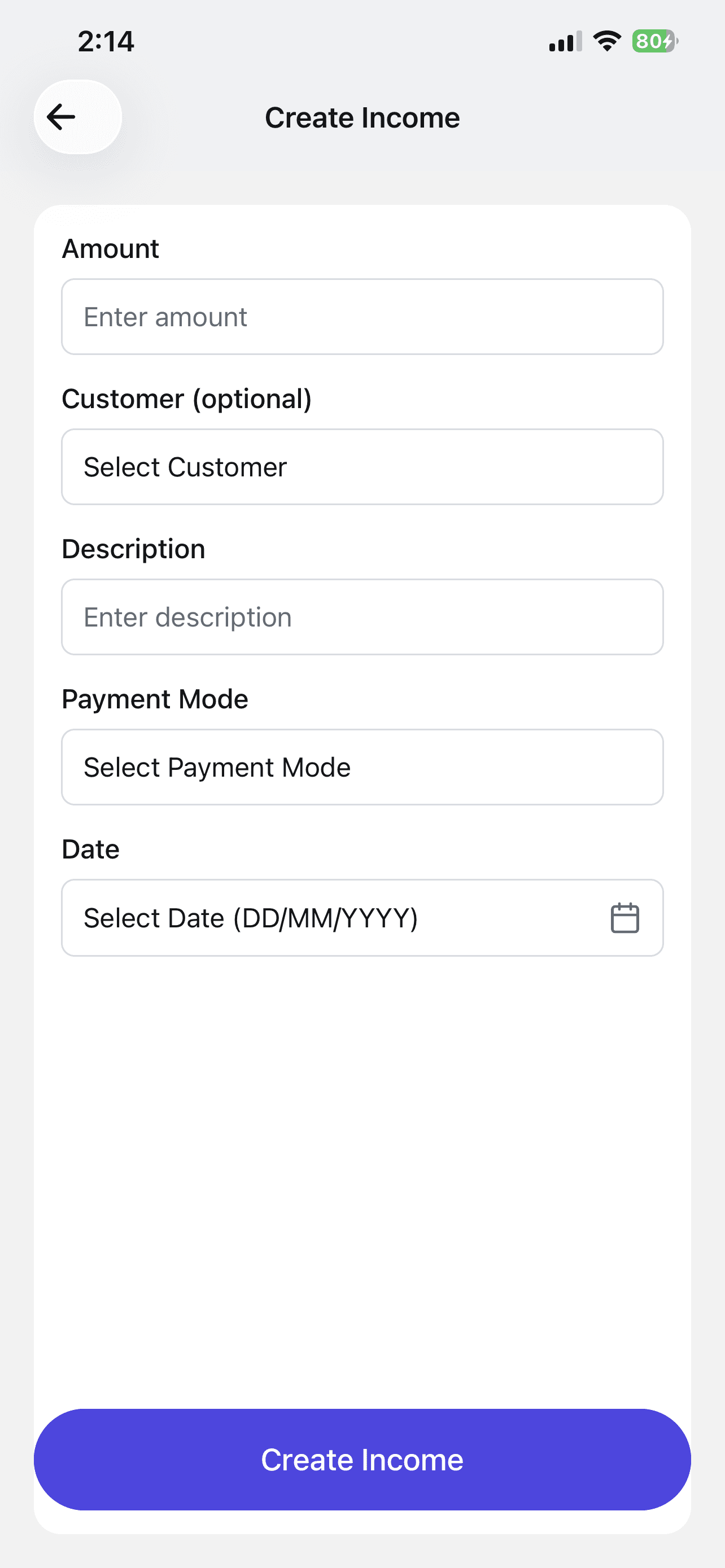
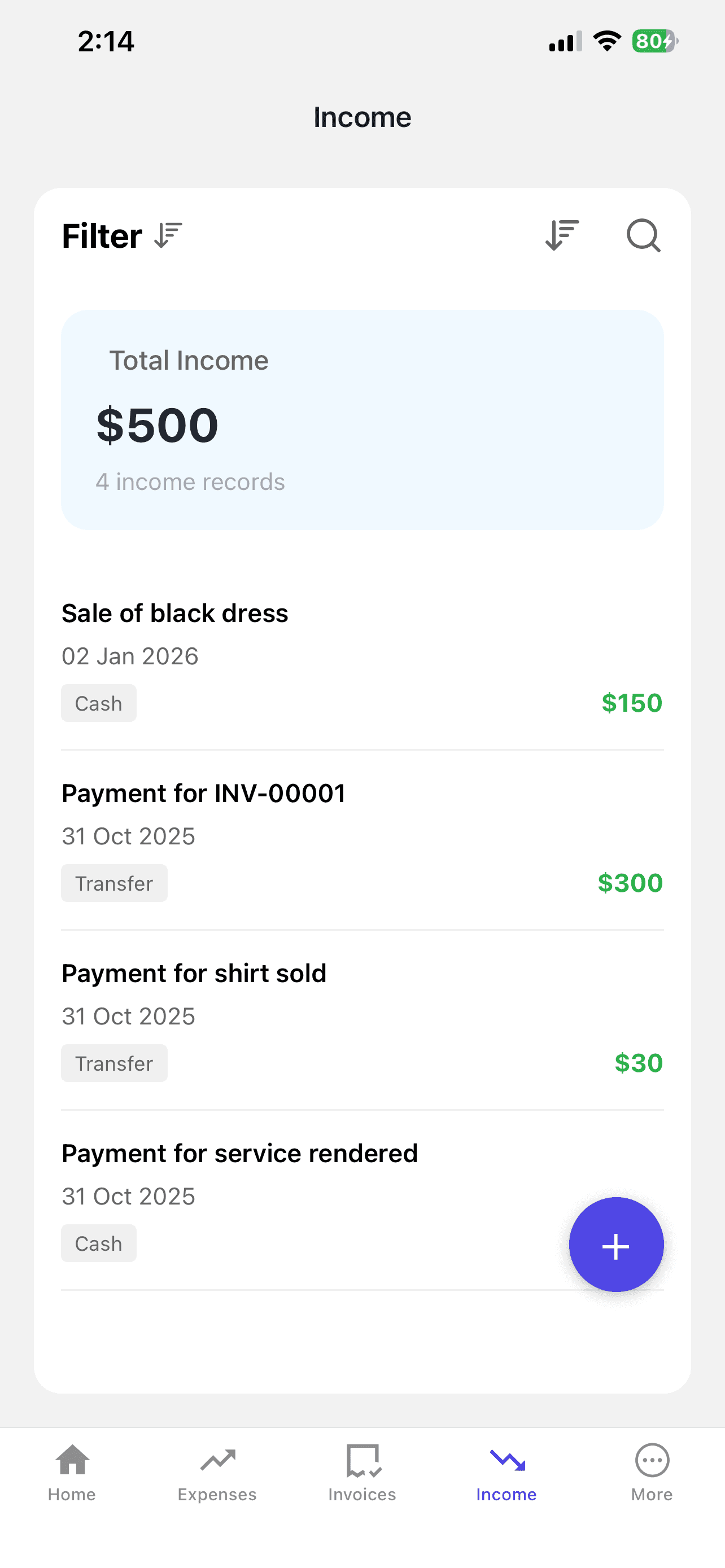
Record income and view all your transactions in one place with Nexa
Managing and Categorising Expenses
Tracking expenses is where most small business owners slip up. The key is to record expenses immediately, not at the end of the week or month when you've forgotten half of them.
Common Business Expense Categories
Direct Costs
- • Raw materials and inventory
- • Packaging materials
- • Direct labour for production
- • Shipping and delivery costs
Operating Expenses
- • Rent and utilities
- • Staff salaries
- • Marketing and advertising
- • Software subscriptions
- • Transportation
- • Phone and internet
- • Bank charges and fees
- • Professional services
Pro Tip: The Receipt Rule
Every time you spend money on your business, take a photo of the receipt immediately. No receipt? Write down the amount, date, and what it was for in your phone. This takes 10 seconds and saves you hours of headache later.
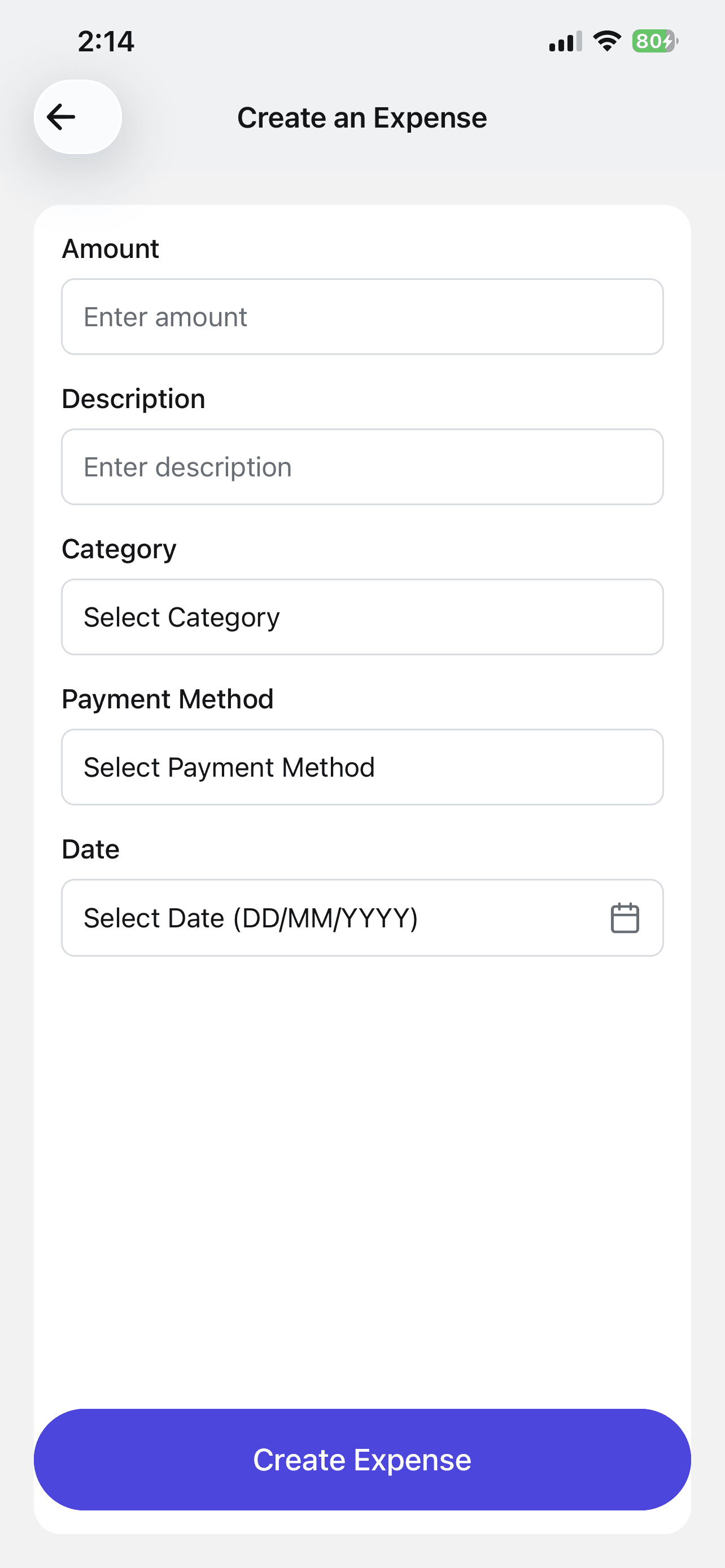
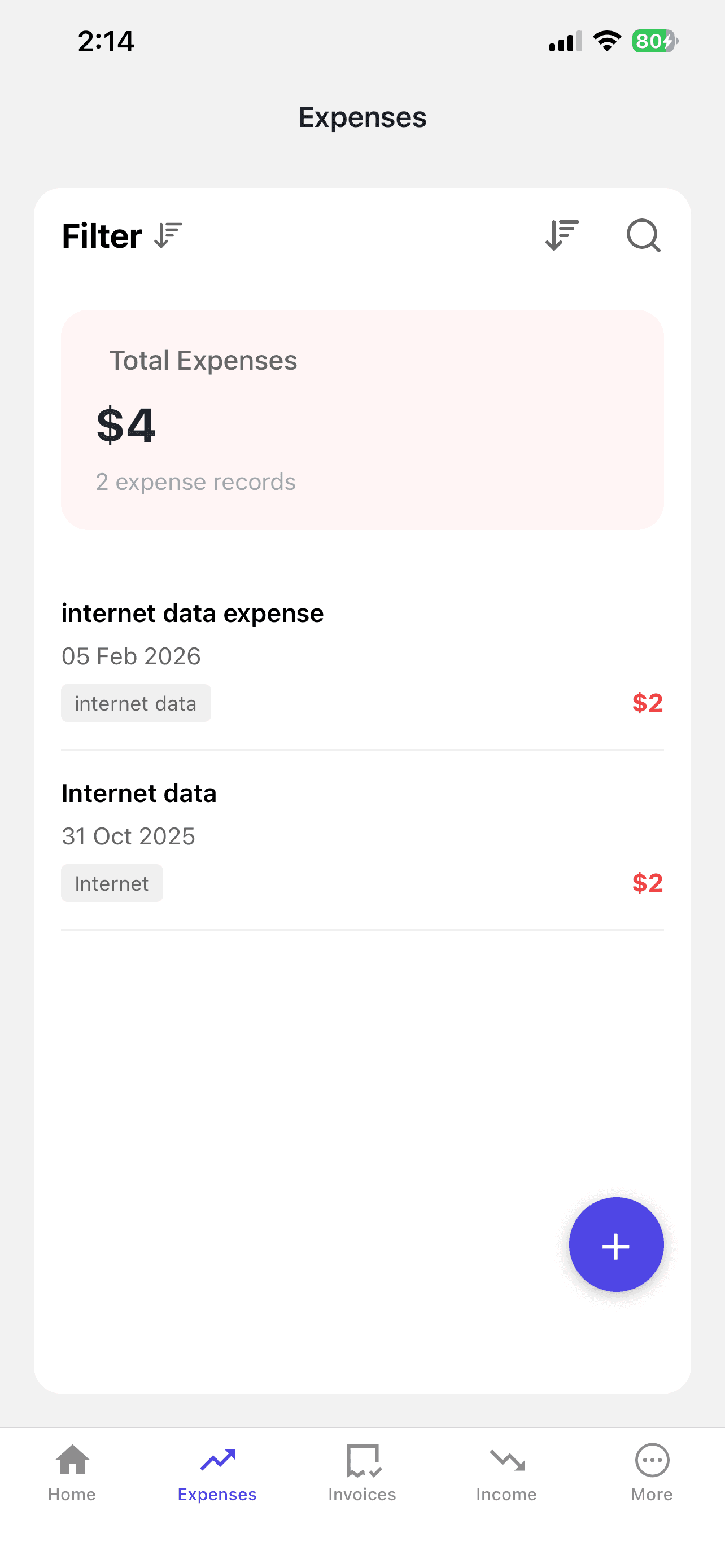
Create and track expenses effortlessly with Nexa
Tired of chasing receipts?
With Nexa, just say "I spent $45 on office supplies" and it's logged, categorised, and ready for tax time.
Start Tracking Expenses →Understanding Basic Financial Statements
Good bookkeeping produces three essential reports that tell you the health of your business:
1. Profit & Loss Statement (Income Statement)
Shows your revenue, expenses, and profit over a specific period (monthly, quarterly, or yearly).
Simplified Example (March 2026)
- Total Revenue$12,000
- Cost of Goods Sold- $4,800
- Gross Profit$7,200
- Rent- $1,000
- Salaries- $2,500
- Utilities & Internet- $350
- Transportation- $450
- Marketing- $300
- Net Profit$1,600
2. Cash Flow Statement
Shows the actual cash moving in and out of your business. This is critical because you can make a sale today but not receive payment for 30 days. The profit & loss says you're profitable, but your bank account might be empty. The cash flow statement reveals this gap.
3. Balance Sheet
A snapshot of what your business owns (assets), what it owes (liabilities), and the owner's equity at a specific point in time. For most small businesses, this becomes important as you grow and seek funding.
Common Bookkeeping Mistakes to Avoid
Mixing personal and business finances
Using the same bank account for business and personal expenses makes it impossible to know your true business profit. Open a separate business account, most banks offer free or low-cost business accounts.
Not recording small transactions
That $5 for supplies, $10 for printing, $15 for a subscription, they add up fast. Over a year, untracked small expenses can total thousands of dollars.
Waiting until month-end to record transactions
By month-end, you've forgotten half your transactions. Record daily, or use a tool that captures transactions as they happen.
Not keeping receipts or proof of payment
Without receipts, you can't prove expenses to the tax authority, and you can't resolve disputes with suppliers or customers.
Ignoring accounts receivable
Money owed to you is not money in your pocket. Track who owes you, how much, and when it's due. Follow up on overdue payments promptly.
Not reconciling with bank statements
Your records should match your bank statement. If they don't, something has been missed or recorded incorrectly. Do this at least monthly.
Tools and Tips to Make Bookkeeping Easier
Daily (2 minutes)
- • Record all sales and income
- • Log any expenses
- • Save receipts
Weekly (15 minutes)
- • Review the week's transactions
- • Categorise any uncategorised entries
- • Follow up on unpaid invoices
Monthly (1 hour)
- • Reconcile with bank statements
- • Review profit & loss
- • Check cash flow
- • Plan for upcoming expenses
The Golden Rule of Bookkeeping
Consistency beats perfection. A simple system you use every day is far better than a sophisticated system you abandon after a week. Start simple, stay consistent, and upgrade your tools as your business grows.
How Nexa Simplifies Bookkeeping for SMEs
Bookkeeping Through Conversation
Nexa eliminates the complexity of traditional bookkeeping. Instead of navigating spreadsheets or learning accounting software, you simply tell Nexa about your transactions in natural language, just like chatting with a colleague.
Record Instantly
Tell Nexa "I sold 20 units for $350" and it records the income, updates inventory, and categorises the transaction automatically.
Track Expenses
Say "I spent $45 on fuel today" and Nexa logs the expense under the right category instantly.
Generate Reports
Ask "How much profit did I make this month?" and Nexa gives you the answer in seconds, no spreadsheet formulas needed.
Bank Sync
Nexa syncs with your bank accounts to automatically match and reconcile transactions.

Just talk to Nexa, it handles the rest
Ready to Take the Stress Out of Bookkeeping?
Join thousands of businesses using Nexa to track income, expenses, and financial records, all through simple conversation.
Start Free Trial →No credit card required • 30-day free trial
Published: March 20, 2026
This guide is for educational purposes. For specific accounting advice, consult a qualified professional.